AI work assistant
Research, plan, create, and verify in one workspace.
Learn more → CS FLOW AIOpen assistant
Start with an idea, a PDF, or a report. Your assistant helps shape the story, build slides with visuals and charts, and deliver editable presentations and documents—all in one conversation.
Core capabilities
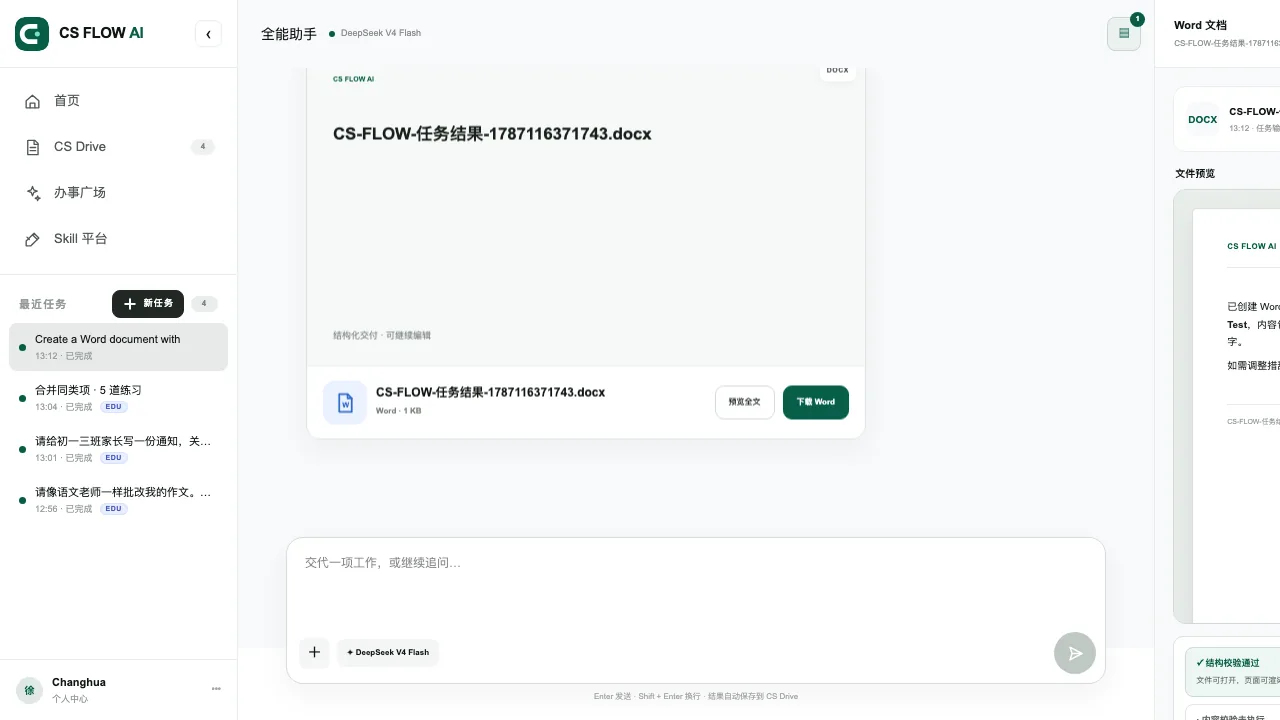
Research, plan, create, and verify in one workspace.
Learn more →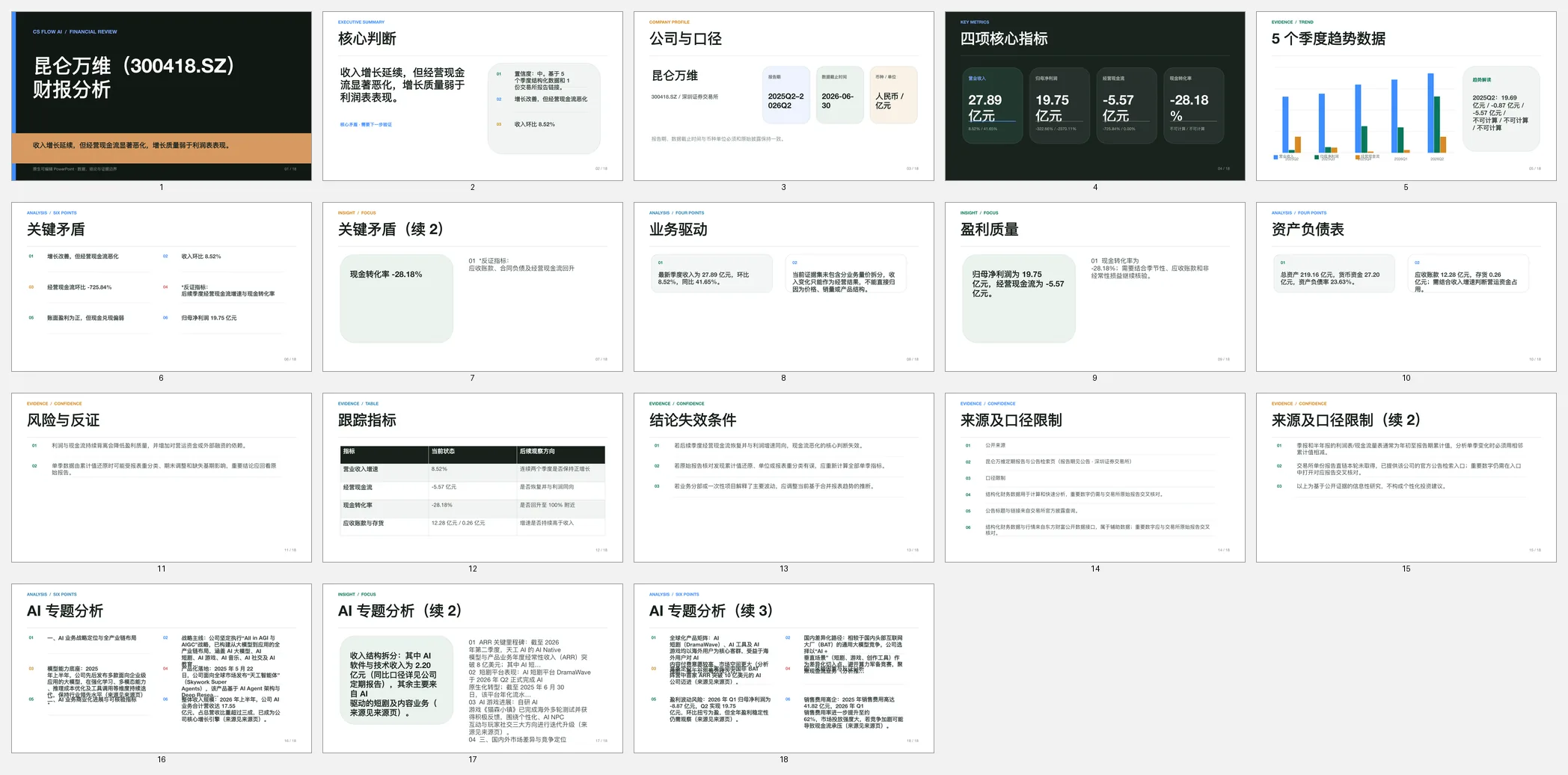
Research with primary sources and deliver a cited, reviewable report.
Learn more →Create an editable deck from a brief or source file.
Learn more →Turn a report or source file into a structured, editable PPTX.
Learn more →Restructure a PDF into an audience-ready, editable slide deck.
Learn more →Rebuild native or scanned PDFs as reviewable DOCX files.
Learn more →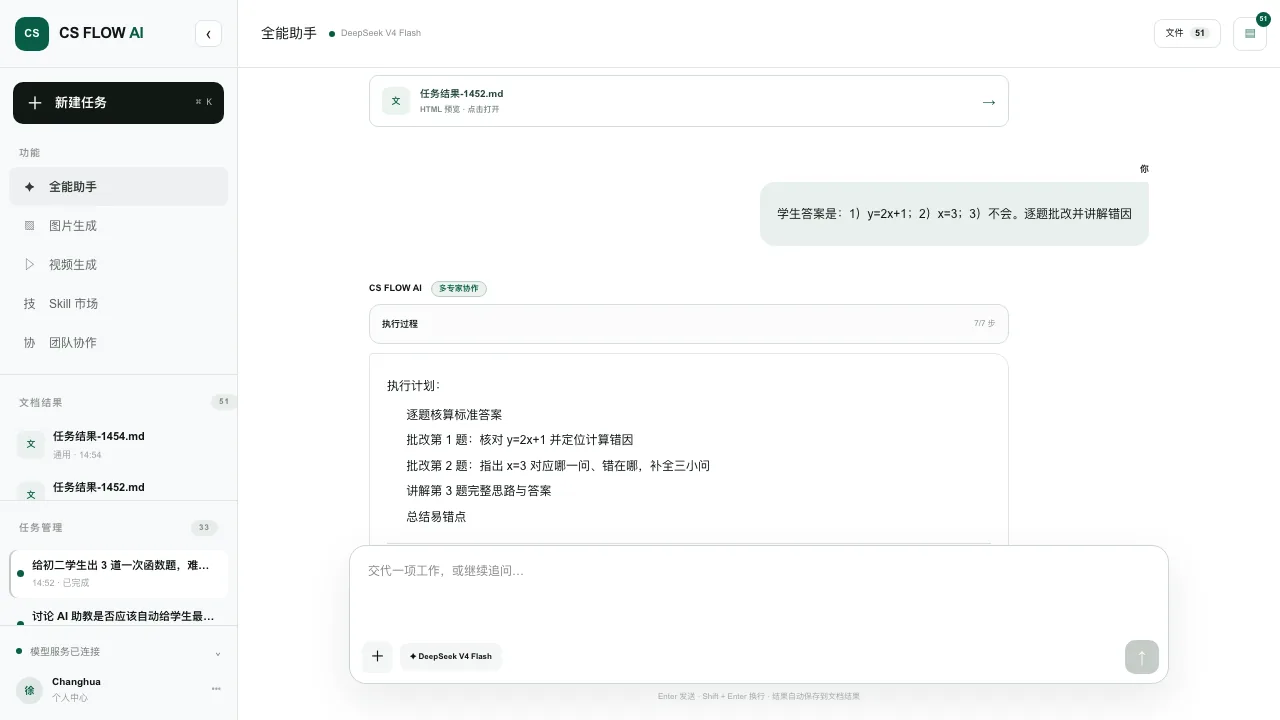
Explain mistakes and guide the next study step.
Learn more →Analyze verified filings and reporting periods.
Learn more →Role-based templates
Choose a focused workspace with ready-made scenes. Preview the structure, then create it in one click.
Lesson planning, courseware, assessment, learning analysis, and family communication.
View templatePlan campaigns, create content, research markets, and track growth.
View templateResearch leads, craft outreach, prepare proposals, and move deals forward.
View templateManage products, store operations, promotions, and customer insights.
View templateReply faster, analyze tickets, maintain knowledge, and improve service.
View templateMove from ideas to scripts, repurposing, and performance review.
View templateGather reliable sources, analyze data, and produce verifiable conclusions.
View templateProduct demos
See inputs, execution, deliverables, and verification across learning, finance, and product work.
Review student answers item by item, explain the cause of each error, and summarize what to study next.
View demo →Organize key metrics, business tensions, risks, and source definitions around a company and reporting period.
View demo →Turn a long research paper into a concise presentation while preserving the research question, method, findings, limitations, and source context.
View demo →Practical guides
Learn how to prepare material, execute the task, and perform the human checks required before delivery.
Define a reproducible research question, prioritize primary sources, map claims to evidence, and deliver an AI-assisted report whose citations and limitations can be checked.
Read the workflow →Convert native or scanned PDF source material into a presentation narrative, generate editable slides, and verify OCR, facts, layout, and the final PPTX.
Read the workflow →Turn a Word document, report, or structured source file into a presentation narrative, generate editable slides, and verify the final PPTX before delivery.
Read the workflow →Prepare source material, review answers, verify feedback, and protect student privacy.
Read the workflow →Constrain the task with the company, reporting period, and primary filings, then separate facts from inference.
Read the workflow →Choose the right workflow for native text, scanned pages, and complex layouts, then verify the output.
Read the workflow →How it works
Clarify missing information first, preserve execution state, and finish with a result you can inspect.
Describe the work or upload images, PDFs, and Office files.
Identify missing information, constraints, output formats, and capability limits.
Combine the right capabilities and show meaningful progress and checks.
Preview or download the result, then continue editing in context.
Who it is for
CS FLOW AI supports multi-step knowledge work, learning, and content production. You can see what is happening, what is missing, and what was delivered.
Learn how we workResearch, writing, data organization, file conversion, and delivery.
Understand learning materials, review work, and create editable learning results.
Move from research and copy to images, video, and presentations.
Verifiable delivery
Task state, active capabilities, and missing information remain visible.
Unverified facts, missing material, and external authorization are not disguised as completion.
Files and structured outputs are delivered together with context for the next revision.
FAQ
Create PPT and Slides, work with PDFs and Word documents, and research with sources. Your assistant helps organize the material, shape the content, and deliver editable files you can keep refining.
Your assistant supports images, PDFs, and common Office documents. File size, scan quality, and layout can affect the result.
Yes. Important data, formal documents, professional judgments, and externally published content require final human review.
Start with a document
Bring a topic or source files. Work with your assistant on the outline, visuals, and details, then keep refining your editable slides and documents.