
Workspace · Product update
Smarter file intake and task suggestions
Identify likely document intent after upload and move a PDF, image, or Office file into a relevant conversion, extraction, research, or grading workflow.
Published Aug 22, 2026 · Expanded and reviewed by the OpenMira Product Team on Sep 2, 2026What changed
CS FLOW AI examines the uploaded file type and visible content, identifies likely task intent, and presents relevant next steps. The user remains in control of the chosen workflow, preservation requirements, and final delivery format.
Product evidence
Smarter file intake and task suggestions
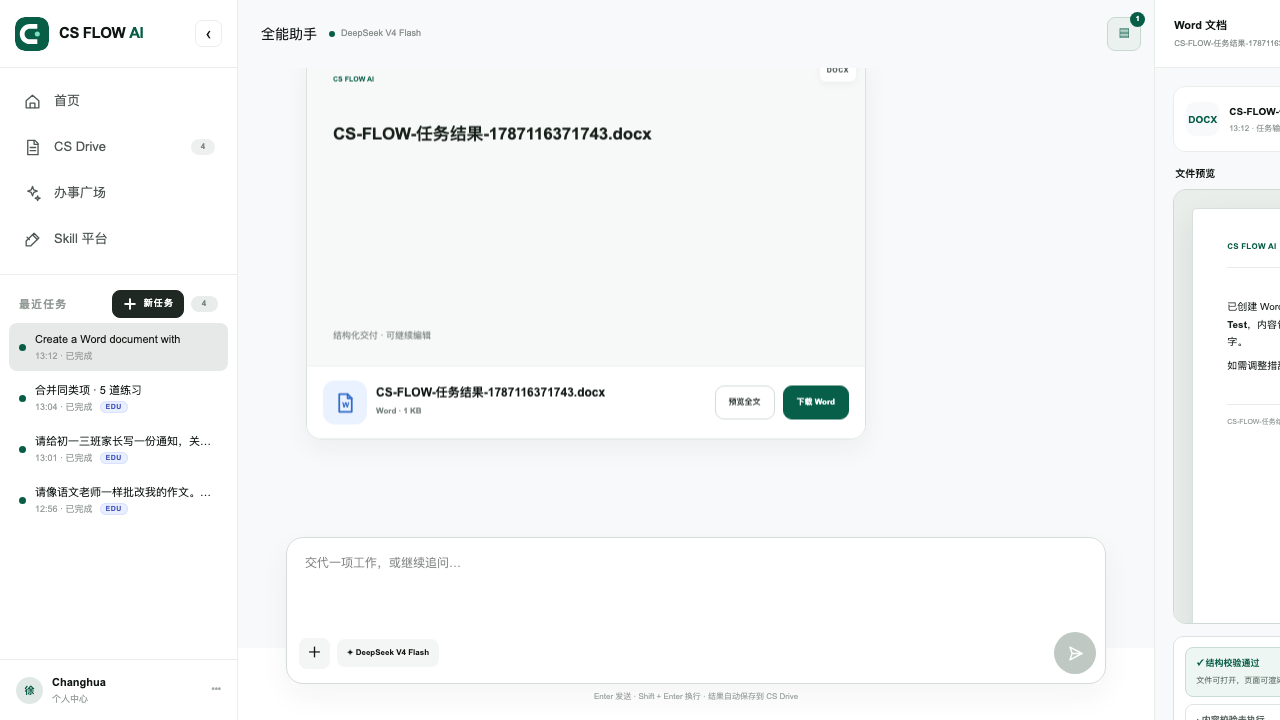
CS FLOW AI document workspace with file intake, preview, and editable document delivery
Core capabilities
- Recognize common PDFs, images, and Office documents
- Suggest conversion, extraction, research, or grading tasks
- Carry the source file into the selected workflow
- Keep requirements and resulting files in one task record
Complete workflow
- Upload a supported document or image
- Review the detected file type and suggested task intent
- Confirm what must be preserved and the required output
- Run the selected workflow, preview the result, and request revisions
Verification
- The detected file type matches the uploaded source
- Suggestions remain relevant to the visible content
- The user confirms the task before consequential processing
- The final file preserves the requested content and structure
Continue exploring